Selection Types
Single-Select (Radio): Permits selection of only one node across the entire tree.

Multi-Select: Displays checkboxes to allow selection across multiple hierarchy levels. Selecting a parent node automatically selects all of its child nodes.

Properties
Density: Alters the minimum row height. The default density minimum height is 32px. The dense variant reduces minimum height to 28px.

Line Visibility: A boolean prop that toggles nesting lines. It is recommended to hide lines in denser or cluttered layouts (e.g., Entity Browser hierarchy view) to reduce visual noise. Usage is currently discretionary.

Accordion: Enables or disables chevrons used to expand and collapse tree nodes.

Extra Icon: Provides space before the text label to render supplemental icons (e.g., folder icons).

Responsiveness
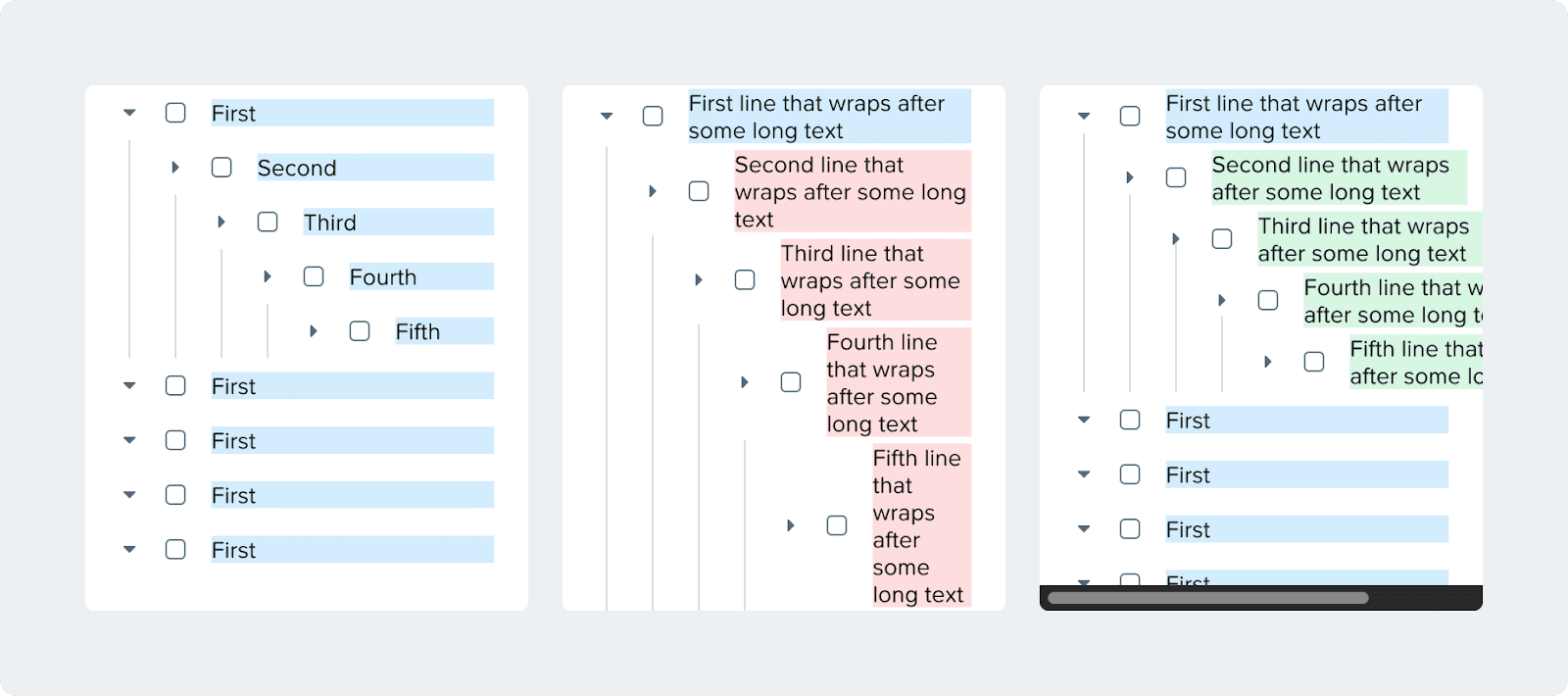
Treeview text will wrap if there is not enough space
To avoid having too many lines in shorter texts, a minimum of 150px is set on the text
The text won’t wrap within the 150px of space
If there’s not enough space for the text it will overflow and horizontal scrolling will be enables