Overview
The Time Picker is an input component that allows users to select a time value.
Usage
The Time Picker is used to input or select a specific time.
Anatomy
Input field
Cross (clear button)
Time icon (opens the time selection menu)
Time selection menu
Accessibility
General
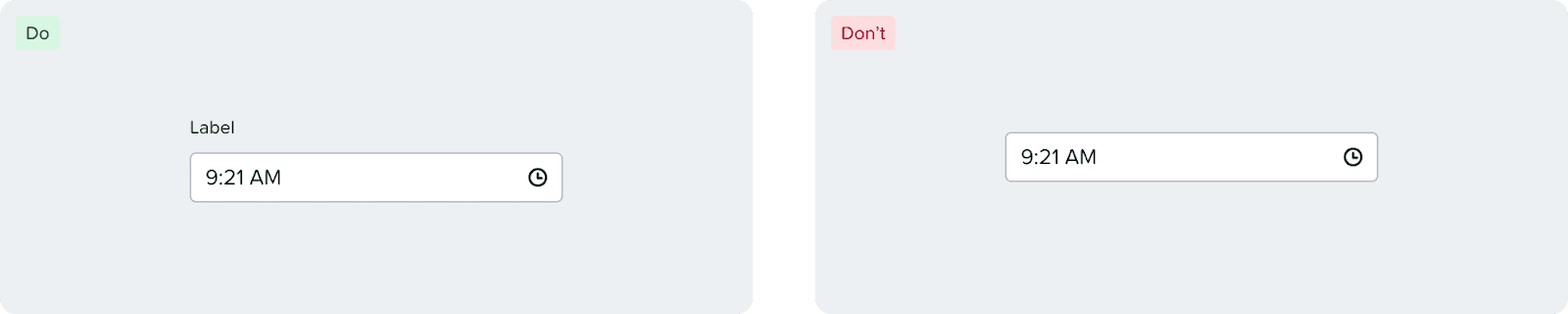
Input should have a visible and programmatic label.
Use of Color
Time selection indication does not rely on color alone.
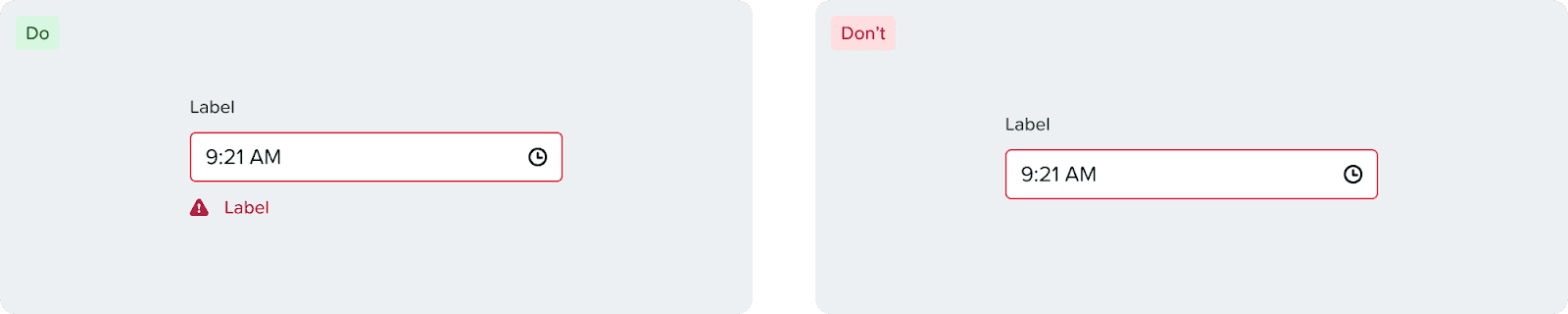
Error and warning messages should use appropriate icon with text so as to not rely on color as the only means of indicating error.
Keyboard Navigation
Tab Order
Input
Cross
Time Icon
Input
[↓] to open the menu and focus on the hour.
Cross
[Enter] or [Space] to clear input and focus on input.
Time Icon
[Enter] or [Space] to open the menu and focus on the hour.
Menu
[↓/↑] to navigate between hours, minutes, seconds, AM/PM options.
[Tab] to move between hours, minutes, seconds, AM/PM.
[Esc] to close the menu and focus on input.
[Enter] or [Space] to choose option.