Overview
We are establishing this guide to smooth some of the friction that happens around and post EC when designs are marked as incompliant in various steps of the process. Two of the most common issues that we face include designs marked non-compliant late during VD and FnF reviews, and UI engineers requesting design system changes directly from the component library or EBR teams post handoff.
Any new components or patterns should be introduced as early as possible so the design system design and engineering teams can look at it early on and plan for its creation if deemed necessary. This involved many steps like design validation and work, a11y reviews, ENG validation and implementation, and FnF reviews.
We strongly discourage any custom implementation on the product, as it causes so many issues down the road. Please try your best to stick to the design system and when needed, help contribute to it in a timely manner.
Timeline
As soon as possible
Ideally we always try to stick to already established components and patterns, we ask you to always try using them. When you notice that you might need to use something that isn’t established, try again, or ask for help from the visual designer on the project, and if not working with one, you can go directly to the design system team. (Ahmed Elgamal Aditya Krishnan Shreyas Bendre) This part needs to happen as soon as possible to avoid any friction or rush later down in the process.
VD Reviews
At this point, there’s much less time to implement any changes to the design system. During VD reviews, non-compliant patterns should get called out. An alternative recommendation might be given, but it’s your responsibility to follow up after with the design system team if you still need to introduce any new patterns to the design system.
Post Hand-Off & FnF Reviews
By the time designs are being implemented and FnF reviews are happening, there’s very little time to do any changes on the design system side, especially when you consider all steps needed to make changes on the design system.
How to Spot Non-Compliant Designs
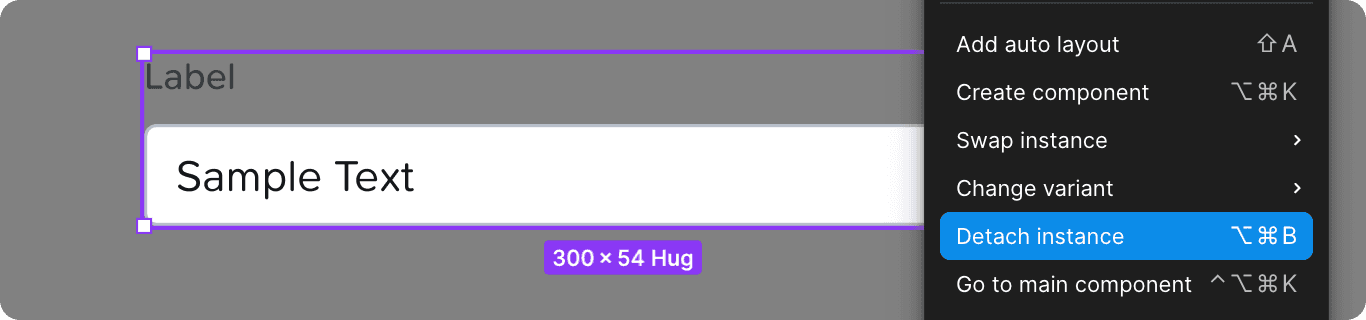
Detached Components & Styles
If you find yourself needing to detach a component or a style to slightly modify it, there’s a decent chance you’re doing that because you want to use something that is not in the design system.

Implementation Markers
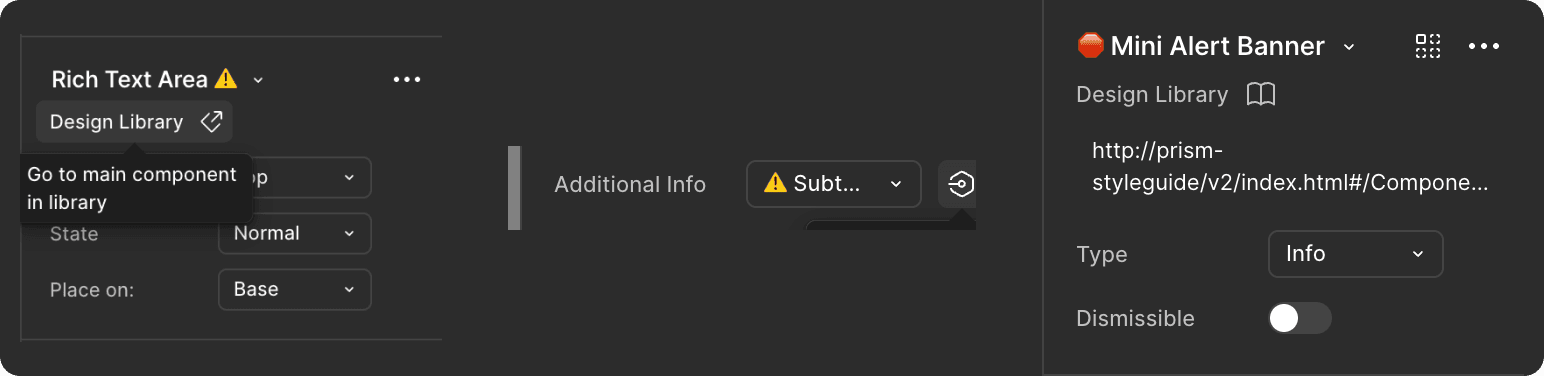
With the 26.2 design library update, we’ve added implementation alignment markers. Please make sure your design file has the latest changes from the design library to be able to see the markers.
⚠️ = Future component or variant
🛑 = Legacy component or variant
Visualizations
If a chart or a visualization is in your files but is missing from the design library for visualizations file or the React charts link is one big sign that your design is non-compliant.
Today we only support four types of visualizations:
Bar chart
Donut chart
Line chart
Area chart
Component Library
If a component or variant is in your files but is missing from the PrismReactJS component library, that is one big sign that your design is non-compliant.
Entity Browser React
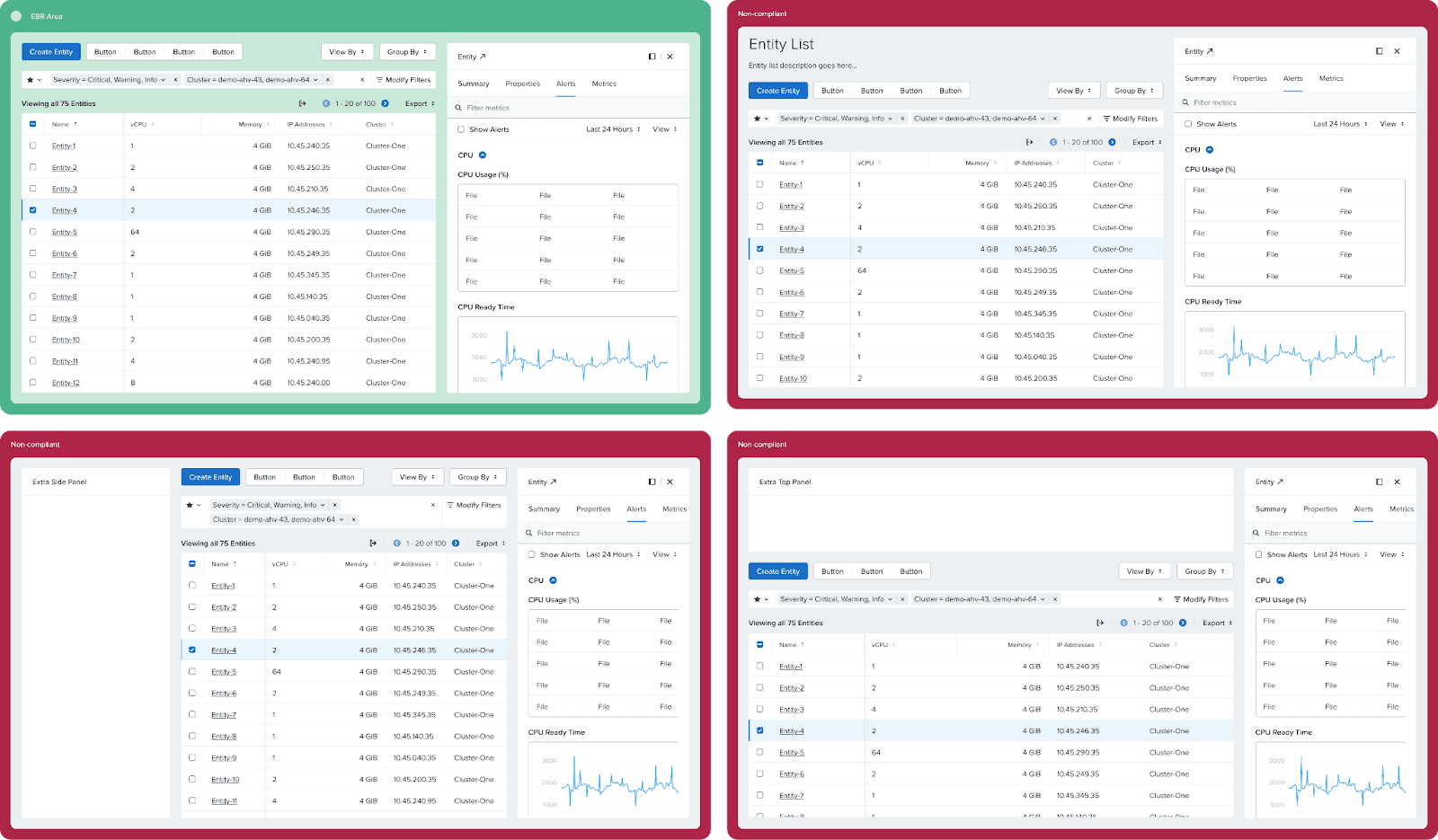
Entity browser is a pretty rigid layout that can’t be customized beyond certain limitations. You can always check a live PC instance for the behavior of EBR, or the spec doc here.
One of the most common issues designers run into when using EBR is using custom filter types in the filter panel. The filter panel only supports the following kind of filters, and they cannot be customized on a feature by feature level:
String
Checkbox
Numeric checkbox + custom range value
Checkbox + custom date range
Radio
Dynamic search select
Time range
Another issue is the fact the layout is pretty rigid. You can’t place things between the buttons and the filter bar, above the buttons, to the left of the table, etc.
What to Do?
File Request
To request a new component or variant, file a request here and include as much supporting information and as many links as possible. Crucially, define the component's complete behavior, including details from accessibility to color tokens.

The Design System team will then validate the issue and follow up with the designer for any necessary clarification. Once the specification is finalized, it moves to an accessibility review, followed by an Engineering (ENG) evaluation. This entire process can be lengthy, and there is no guarantee that the request will be implemented in the desired release.
To potentially expedite the process, feature teams can offer their UI engineers to contribute to the Prism ReactJS library. If the Design System and Accessibility teams approve a design, and the feature team is under a tight deadline, they may use this option to build the component themselves.